
HLTH Manage: CQC compliance and HR software
Compliance software with a live CQC rating
An all-in-one web platform to manage documents, policies, staff, training, e-learning and audits. Its live CQC rating feature brings your current rating into the platform so you can track performance against the five key questions and organise supporting evidence.
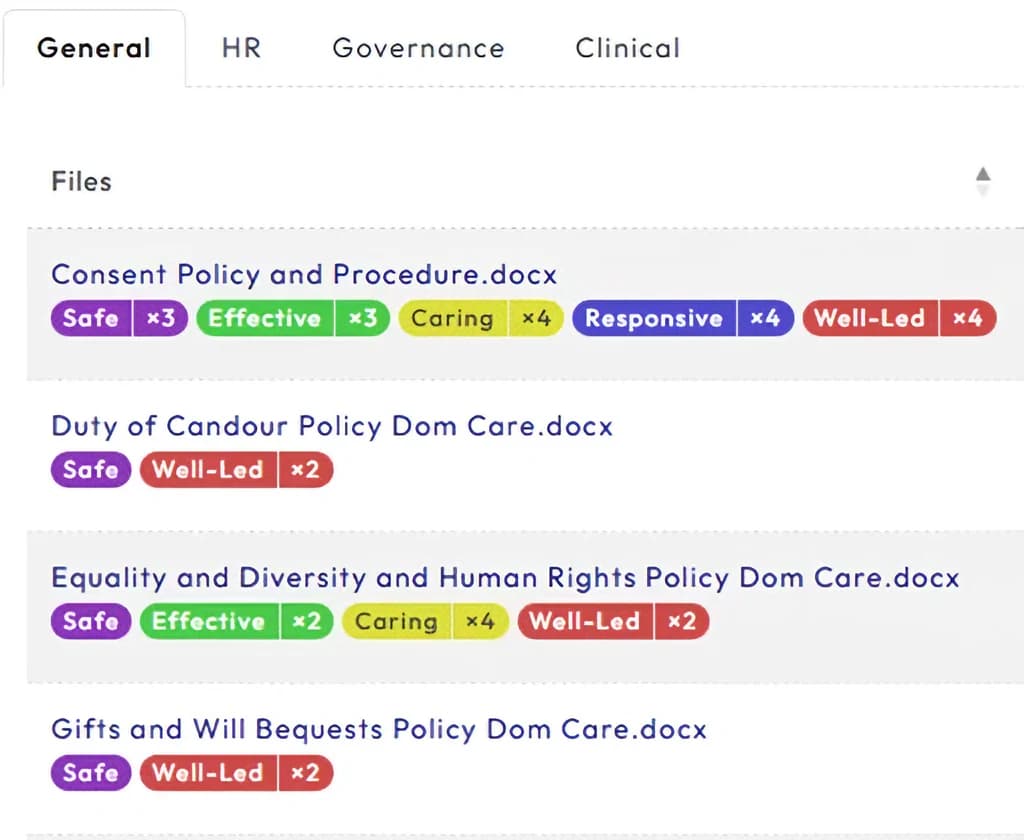
HLTH Manage centralises the documentation and governance that CQC compliance depends on. It streamlines your policies and documents, guides staff management and training, and helps you proactively maintain and improve your compliance rating.
The CQC compliance dashboard tracks your performance against the five key questions and builds inspection-ready evidence reports you can show the CQC directly.
A look inside HLTH Manage
Crops of a real HLTH Manage screen, shown at full size, with the key features numbered.
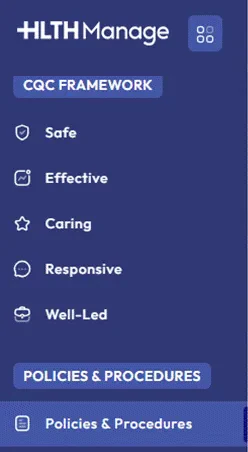
The CQC framework is the menu
The platform is organised around the five key questions CQC uses.
- The CQC Framework section has an entry for each key question: Safe, Effective, Caring, Responsive and Well-led.
- Policies and procedures sit in their own section of the same menu.
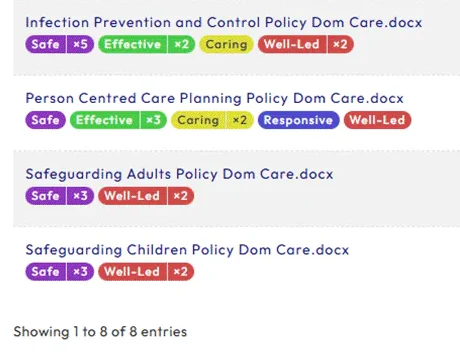
Every policy tagged to the key questions
Each policy shows which of the five key questions it supports.
- Infection prevention and control is tagged Safe ×5, Effective ×2, Caring and Well-led ×2.
- Person centred care planning is tagged to all five key questions.
- Both safeguarding policies carry Safe ×3 and Well-led ×2.
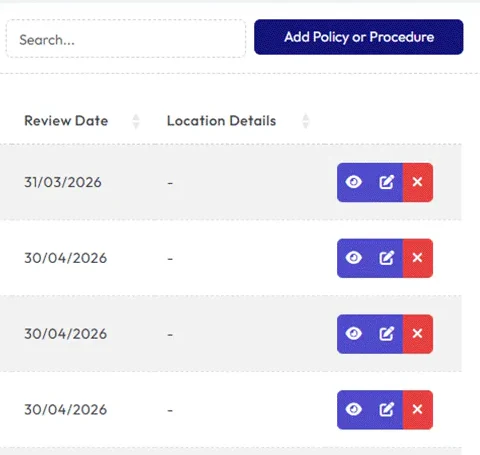
Review dates and actions on every row
Keep each policy current from the library itself.
- Search the library, or add a new policy or procedure.
- Each policy shows its review date, such as 31/03/2026.
- View, edit or remove a policy from its row.
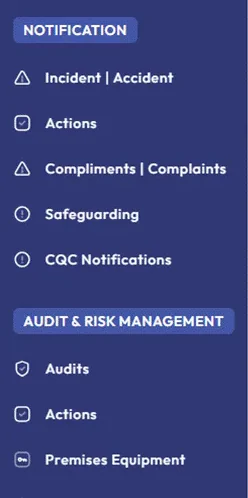
Notifications, audits and risk
Day-to-day records sit in the same platform as your policies.
- Notification covers incidents and accidents, compliments and complaints, safeguarding and CQC notifications, plus an Actions page.
- Audit & Risk Management covers audits, actions and premises equipment.
What it does
- Documents, policies and version control in one place
- Staff records, training matrix and e-learning
- Audits and evidence mapped to the five key questions
- A live CQC rating to benchmark and improve your service
Who we do this for



Speak to one of our experts
Clinicians, a former CQC inspector and a former Registered Manager.
What happens on the call
- Pick a time that suits you. The call is free and takes 15 minutes.
- You speak to one of our experts about your situation.
- You leave with a clear next step, before any big commitment.
A clear next step, before a big commitment
See HLTH Manage in action
Book a guided demo with the team.
Speak to one of our experts
Clinicians, a former CQC inspector and a former Registered Manager.
A 15-minute introductory call to explain your situation, explore the right support and discuss the next step.